Wednesday, December 7, 2016
Innovation in the Classroom...at the Beginning
Last year I had the opportunity to attend the MISA Innovation conference in London, Ontario. This conference was all about sharing ideas, asking questions, and discussing solutions around a variety of topics. At the end, we were invited to make our ideas reality by applying for a grant. I had lots of ideas and goals, and this grant allowed me to make some of them reality. My main goal was to increase student engagement, exploration, and fuel a love of creating.
With the money from the grant, I purchased some flexible seating (Hokki stools), Makerspace items (such as jinxwood cutters, wood burning kits, etc.), Google Cardboard sets, and a few MakeyMakey kits.
Here are some pictures, videos and testimonials from the kids!

Thursday, August 25, 2016
Beginning with an Innovator's Mindset
The summer is fast fading and many of us are in transition; the end of something also marks the beginning of another. One of the reasons why I love being in education so much is the multiple opportunities throughout a calendar year for beginnings and endings.
This past June I took out my phone and began drafting lists in Google Keep to help me with these dreams and goals (love this app!). I always keep a list of books to read and this summer it included The Innovator's Mindset by George Couros. I just finished reading it and highly recommend this energizing easy read for anyone working in education.
The Innovator's Mindset reaffirmed many of the ideas that have been knocking around in my head and sparked some new ones. As I read, I distinctly felt as if he was not only speaking to who I currently am as an educator, but also the future (and sometimes past) me. I've been gathering those sparks to fashion them into a fire of hopes, dreams, goals, and plans for my students this fall.
I wanted to share some of my favourite takeaways from this book to give those of you who haven't read it a snapshot, and those that have, a place to compare notes.
What are your thoughts?

Endings are always so bittersweet with memories of things accomplished and experienced and perhaps some regrets on those plans that did not happen. Beginnings are always my most favourite part, and they happen often enough to keep me energized, engaged, and excited about teaching. September, January, March, June
For me this is where magic happens. I research, read, plan, prepare, and dream about all the possibilities this new beginning holds - not just in my personal or professional life, but also for my students.This past June I took out my phone and began drafting lists in Google Keep to help me with these dreams and goals (love this app!). I always keep a list of books to read and this summer it included The Innovator's Mindset by George Couros. I just finished reading it and highly recommend this energizing easy read for anyone working in education.
The Innovator's Mindset reaffirmed many of the ideas that have been knocking around in my head and sparked some new ones. As I read, I distinctly felt as if he was not only speaking to who I currently am as an educator, but also the future (and sometimes past) me. I've been gathering those sparks to fashion them into a fire of hopes, dreams, goals, and plans for my students this fall.
I wanted to share some of my favourite takeaways from this book to give those of you who haven't read it a snapshot, and those that have, a place to compare notes.
What are your thoughts?
Saturday, May 7, 2016
Read and Write for Student Learning

Read and Write has come a long way over the past couple of years. This school year I have been thrilled with the dependability and ease of use. I have been modeling for students some of the great ways to use Read and Write, but even with regular prompting, I found few wanted to utilize this awesome app. This was a problem and it made me think about some of the reasons for student reluctance...
-perceived personal weakness if they used it?
-didn't want to bother?
-didn't think to use it?
I didn't really like any of these reasons, so I set out to show students the incredible advantages of using Read and Write. Since I teach 13/14 year old students, this came down to required assignment tasks. I see a huge benefit for students to use the highlighting feature when making notes.
The Assignment:
Students opened up a PDF file of their science chapter on material we were learning about (which they opened with Read and Write). They had to complete this assignment (still in the re-write phase!). Not only were students reading, but thoughtfully highlighting (thanks +Rich Maertens) and using the other Read and Write tools. I especially wanted them to see the benefit of annotating notes and collecting highlights. However, I would say that once students got going on this assignment, I realized I was far too ambitious. I need to go back and chunk this assignment further and re-organize the tasks so students can focus on one skill at a time. If you take a look at this assignment you'll see what I mean.
In future, I will incorporate a Read and Write skill into each assignment so it will naturally become part of the process and student learning.
Are you new to Read and Write? Or want more information?
Post your Read and Write success stories, ideas, etc. in the comments below!
Keep Learning,
Katrina
Saturday, April 9, 2016
GAFE Summit Ontario

April 9 - 10, 2016
I'm at the Kitchener EdTech Team Summit with hundreds of other inspired educators and wanted to share some of the amazing learning and sharing that is happening here!
Day 1 - April 9, 2016
Jaime Casap, the Keynote speaker, kicked off the morning with "Iteration and Innovation in Education." Here are some of the key ideas and soundbites of inspiration:
-We live in a world that is globally connected and network based. We should be asking “what is the right education model we need for today’s economy?”
-Instead of asking kids what they want to be “when they grow up” we should be asking: “what problem do you want to solve?”
-Critical Skills that Kids need to have? They haven’t changed in a long time!: Problem solving, Team working, Communications, Critical thinking, Creativity, Literacy, Digital literacy, Leadership, Foreign language, Emotional intelligence
-This changes the conversation from who do you want to work for to “what do you want to do?”
-Teaching kids how to fail is fine, but we need to go deeper than that
-The opposite of failure is success. But this is not our world because there is no end point. “When we teach kids there is success and failure we are teaching that there is an endpoint and that doesn’t exist”This was a great keynote to get day 1 started!
The first session I attended was on creating "Innovative Learning Spaces" presented by Erica Armstrong. Her current technology classroom is truly something to envy and aspire towards. Her presentation (check out link for slides) gave ideas, resources, and encouragement to incorporate flexible spaces to encourage comfortable and creative learning. She emphasized that "different furniture = a different learning style." I also really appreciated that she didn't have a class set of anything, especially once she explained that 1) it costs a lot of money to have class sets of anything, and 2) when you give every student the same thing, this is not a flexible and innovative environment. I can't wait to bring in some of these ideas to my class! Standing tables here we come!
The second session I attended was presented by Grant Hutchinson on "App Making for All." This session lead us through a hands on (a fast paced!) step-by-step on creating an Android App using http://appinventor.mit.edu/explore/ . If you are familiar with Scratch, this website works very similar. This is a great way for students to create apps that can actually be published on the Play Store (a $25 publisher account is required to publicly publish). I can totally see some of my students running with this (although I am not ready to create at this level!).
The third session I attended was on "Digging Deep into Hangouts" presented by Michelle Armstrong. I regularly use Google Hangouts for the phone and video features, and was looking forward to discovering even more. This presentation did not disappoint. Hangouts is your one-stop for voice, text and video communication with anyone around the world. The phone feature is particularly helpful as it is free long distance calling in North America (say goodbye to your long distance plan!). While Hangouts is not available to students in the WCDSB, teachers have full use. I have used it a number of times to connect, plan, and problem solve with other teachers as well as connecting with other classrooms or guest speakers. If you haven't checked it out, I highly recommend using hangouts. +Michael Leonard and I will be running a PD session April 22nd if you are interested in learning more! My next personal Hangouts challenge is Hangouts on Air.
The fourth session I attended was presented by Tim Cooper on "Using Google Sites for Project Based Learning." I have used Google sites both with my class and to create my own website. If you've used it, you'll know it is not a very intuitive Google App to use - probably the least out of other apps you might use. This was precisely the reason I wanted to learn more about it. The best learning was on how to create a website template for students to copy and input their own information. This is a great way to get students into using Sites by avoiding design and formatting frustration. Embedding Google Docs into your template (such as rubrics) keep it updated and current for students. Student comments on peer sites seems to present issues, so I think I will embed an editable document into the template to allow for easier sharing and feedback between students. If you click on the link above, Tim has provided tutorials and links on how to set up sites and make templates.
We ended today in the gym with a Demo SLAM! Nine presenters presented their best technology tips, and tricks with audience voting afterwards. Highlights for me were hidden Google "easter eggs," the most dangerous writing app, and +Sylvia Duckworth's SLAM rap using http://www.incredibox.com/
I'm leaving today excited, overwhelmed, exhausted, but most of all - inspired. Can't wait to return bright and early tomorrow!
Keep learning,
Katrina

Day 2 - Sunday, April 10, 2016.
Keynote Speaker - +Molly Schroeder @followmolly. Check out this word cloud (using http://wordcloud.booogle.net/) I made from my notes:

The fifth session I attended was on Virtual Reality in the Classroom. The presentation focused on the Richo Theta 360. This technology is pretty cool; I was glad to attend this session as it made me realize I didn't want to pursue it. The process was rather complex, costly, and required an iPad (which I don't have). The main message was to not spend a lot of money on this right now, as the technology will be changing soon and become cheaper (hopefully!).
Session six was on becoming a Google Certified Trainer. This is something I really want to pursue this summer. The session was really informative and gave particulars. Here's a great resources page. With the cost and re-certification frequency, I will aim for level 1 and 2 this summer, but hold off on the Innovator certification.
Session seven I flipped between an innovation and math presentation. Here are some great resource links, or just cool websites: Presentation, for tutorials, Google Trends Math Lesson in Slides
The eighth and final session I attended was called Fasten Your Seatbelts! This was an awesome presentation that introduced a number of apps and websites to use in the classroom. If you have some time, I highly recommended checking it out!
Michelle Conroy ended off the Summit with her encouragement to "have presence and be mindful." An inspiring talk to leave us with after so much new learning!
I am very thankful that I could attend the Kitchener EdTech Team Summit 2016. I learned, networked, and left motivated and inspired.
Sunday, February 28, 2016
Voices of Bullying
As you may know, pinkshirtday.ca was last week. To help my students further think about the various points of view and perspectives involved in bullying, I had them complete an activity inspired by "Think Pink" from Runde's Room. Students wrote and recorded their poems and I wanted to share them with you here. Check them out!
 |
Thursday, February 25, 2016
Exploring Innovation in Education
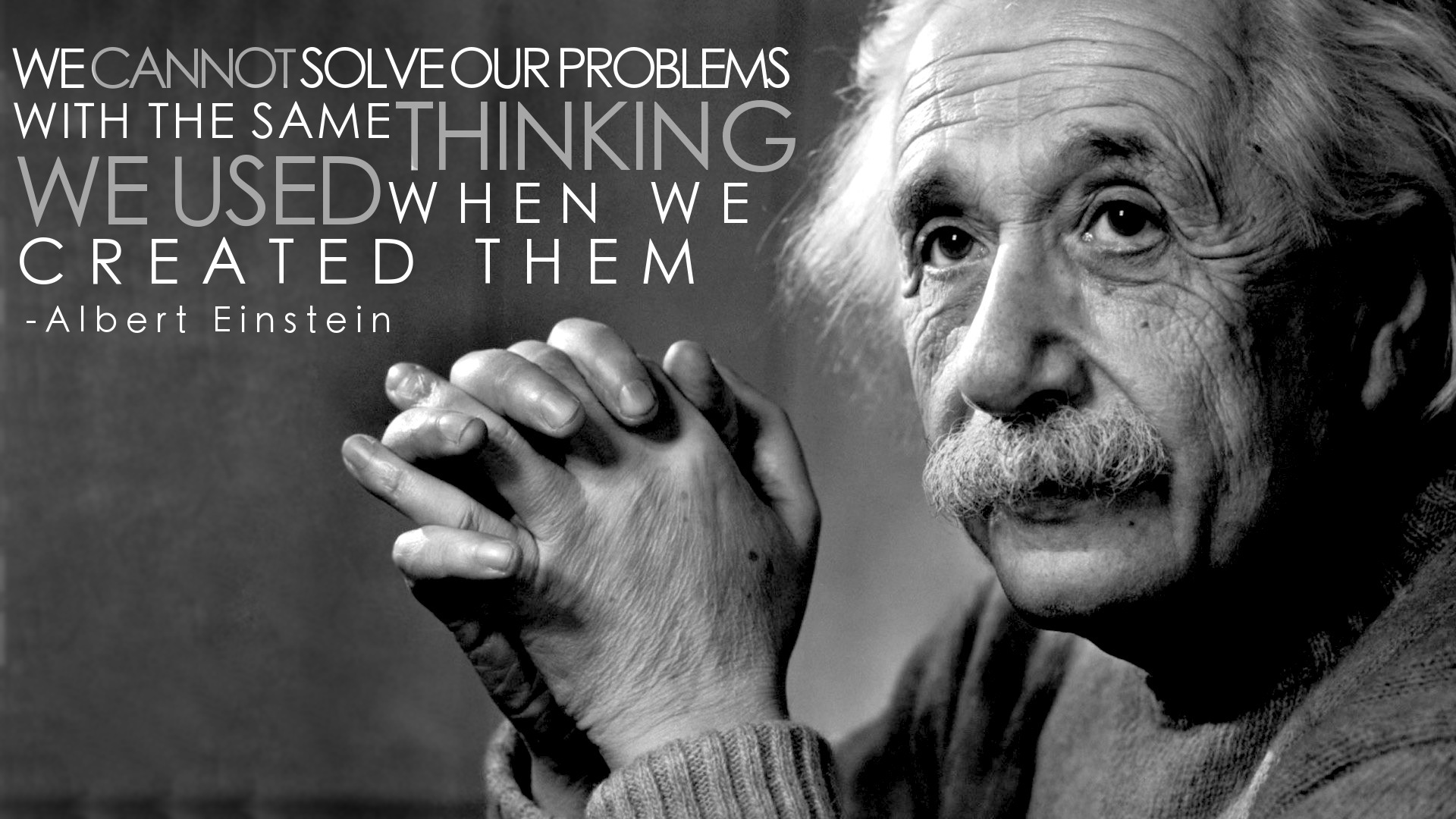
Last week I was fortunate enough to attend the MISA Innovation conference in London where I heard some incredible ideas from educators from various school boards. We were inspired by the ideas of Tony Wagner, especially his seven survival skills.
This conference changed my perspective and understanding of what innovation is. If you had asked me a couple of months ago what innovation was, I would have immediately responded that for me it was the use of technology in the classroom (thinking of the SAMR model). However, after the MISA conference, I realized innovation is much more than that - it is creatively reinventing ourselves to solve problems. Teachers are no longer the main knowledge delivery system - Google search has quite successfully taken over this role for us. The problem then becomes what to do with all of this incredibly accessible information? How can we help our students make sense of it? And more importantly, how do we help students independently and critically think about it?
This conference changed my perspective and understanding of what innovation is. If you had asked me a couple of months ago what innovation was, I would have immediately responded that for me it was the use of technology in the classroom (thinking of the SAMR model). However, after the MISA conference, I realized innovation is much more than that - it is creatively reinventing ourselves to solve problems. Teachers are no longer the main knowledge delivery system - Google search has quite successfully taken over this role for us. The problem then becomes what to do with all of this incredibly accessible information? How can we help our students make sense of it? And more importantly, how do we help students independently and critically think about it?
Many of us went through an education system that was heavy on the knowledge and understanding piece and so it is what we are most comfortable with. Change is uncomfortable and so it is very easy to build a wall in response. This was a major topic of conversation in a couple of the groups I met with.
For me, innovation means change - a willingness to be fluid, creative, and open to making mistakes - no walls allowed!

I came away from this conference with ideas on changing the physical space of my classroom, the necessity for developing complex questioning in my students, and giving up control by allowing students more freedom in following their passions and interests. I also came away with a changed attitude - no more excuses on the constraints of the school system and it's impact on what I felt I could and could not innovate in my classroom.
Since the MISA conference I have had so many ideas swimming around in my head and I can't wait to try as many of them out as possible (and share them with you of course!). This week I introduced "Genius Hour" to my class and I am so impressed with the awesome ideas and interests students have (see my previous post on this). I've also been thinking about how I can get a standing desk in my class for those students who learn better standing or moving.
I would like to thank +Rolland Chidiac-WCDSB for inspiring this post on innovation New Fluencies: What Does Innovation in Education Mean To Me?
I look forward to hearing your ideas on what innovation means to you!
Wednesday, February 24, 2016
Genius Hour - Let's Get Uncomfortable

After some great inspiration from the MISA Innovation Conference in London last week, I've committed an hour every Wednesday to Genius Hour in my class. +Cindy Hughes shared some great resources she developed and used with her class in the fall and I've adopted them for my class. My students really embraced this idea and have leapt right in. I'm so excited about the amazing ideas for their passion projects - some including unsolvable math problems, how CEO's manage businesses, making a movie, perfecting a cookie recipe and hosting a cooking show, child labour, and even how to throw a perfect pitch. Presentations will be Catholic Education Week and I can't wait to see the products of student passion projects! In between now and then, I will lead students through various research and plagiarism lessons to help them navigate their projects.
I would love to hear about "Genius Hour" projects you and your students have done. What does learning look like when we "lose control" by letting students run with what they are interested in? I want to make this the rule of thumb - how can we allow students to make sense of the curriculum we teach and make it meaningful to them and their life experience? Let's get uncomfortable and make our student's more comfortable with making learning relevant to them and their interests. It's not about us, it's about students and learning.
Monday, February 22, 2016
Podcasting in the Classroom
Have you tried podcasting with your students yet? One of my goals for this school year was to try it out with my students, and I have to say I was thrilled with the results. Podcasting was a great way to explore the not always so thrilling topic of wastewater management (in science class).
I have been a long-time fan of CBC's "Quirks and Quarks" program and thought this would be the perfect way to introduce a science podcast to students. We listened to a couple of different episodes and then began breaking down the common parts and identifying them. For example, students noticed that each podcast began with a short commercial for another podcast or radio program, followed by a theme song and overview introduction of the episode. On chart paper, we wrote out the basic podcast structure and then decided what main topics needed to be covered (how Waterloo Region processes water and wastewater as well as a local water issue). We also discussed ways to "bump up" their podcasts and engage the audience through the use of sound effects, music, "hooks," and expert "guests."
I assigned partners and they began researching and script writing. To be completely honest, at this point I had no clue on how I would actually have students record their podcast, but I had faith if I couldn't find an App or way to do it, my students would! I did a bit of surfing to try and find some options, but none seemed to work how I wanted. I then did a Web Store search for audio recorders and found "Cloud Audio Recorder." This was a very simple audio recorder that would record up to 7 minutes, record as a mp3, and would even save to Google Drive. However, while this worked beautifully for me, students had a bit more trouble with the restrictions placed on Apps that they could add to their account. A few of my expert tech problem solver students were able to get the App working for each group. Today we were using "Cloud Audio Recorder" and instead of trying to add it to students GAFE Apps, we just used the website - issue free!
Students really were engaged and eager to make their recording perfect (which meant many re-takes!). Once their podcast was recorded and filed in their Google Drive I had them share the file with me. Here is one great example by two of my students - Water Podcast.
This project was also a great opportunity to integrate reading, writing, media and oral language into our science project. Here's the Podcast Rubric that I used when assessing.
I would love to hear if you've had any podcast adventures of your own!
Until next time,
Katrina
I have been a long-time fan of CBC's "Quirks and Quarks" program and thought this would be the perfect way to introduce a science podcast to students. We listened to a couple of different episodes and then began breaking down the common parts and identifying them. For example, students noticed that each podcast began with a short commercial for another podcast or radio program, followed by a theme song and overview introduction of the episode. On chart paper, we wrote out the basic podcast structure and then decided what main topics needed to be covered (how Waterloo Region processes water and wastewater as well as a local water issue). We also discussed ways to "bump up" their podcasts and engage the audience through the use of sound effects, music, "hooks," and expert "guests."
I assigned partners and they began researching and script writing. To be completely honest, at this point I had no clue on how I would actually have students record their podcast, but I had faith if I couldn't find an App or way to do it, my students would! I did a bit of surfing to try and find some options, but none seemed to work how I wanted. I then did a Web Store search for audio recorders and found "Cloud Audio Recorder." This was a very simple audio recorder that would record up to 7 minutes, record as a mp3, and would even save to Google Drive. However, while this worked beautifully for me, students had a bit more trouble with the restrictions placed on Apps that they could add to their account. A few of my expert tech problem solver students were able to get the App working for each group. Today we were using "Cloud Audio Recorder" and instead of trying to add it to students GAFE Apps, we just used the website - issue free!
Students really were engaged and eager to make their recording perfect (which meant many re-takes!). Once their podcast was recorded and filed in their Google Drive I had them share the file with me. Here is one great example by two of my students - Water Podcast.
This project was also a great opportunity to integrate reading, writing, media and oral language into our science project. Here's the Podcast Rubric that I used when assessing.
I would love to hear if you've had any podcast adventures of your own!
Until next time,
Katrina
Sunday, January 3, 2016
#ONEWord for 2016
I have been lately reflecting on how I will meaningfully start 2016 with my Gr. 8's. Most years I have students complete New Year's Resolutions (check out this great one from Teachers Pay Teachers). However, I wanted to change things up and came across this great idea from @cherandpete to have students choose One Word for 2016. Upon more searching, @KarlyMoura has set up an awesome assignment that I will have my students complete this week (visual arts mark).
Today was the Epiphany of the Lord and I was inspired by Father Joseph's homily. One word kept on standing out for me: Open. Open hands, open to Epiphany, open to other people, ideas, and new learning. Open is my word for 2016 - what is yours?

Today was the Epiphany of the Lord and I was inspired by Father Joseph's homily. One word kept on standing out for me: Open. Open hands, open to Epiphany, open to other people, ideas, and new learning. Open is my word for 2016 - what is yours?
Subscribe to:
Comments (Atom)